Play Training
Introduction to Clients
Introduction 1 of 3
A structured approach to client management in Vision VX
The success of the platform revolves around the meticulous management of client records, which serve as the nucleus for all activities, be it campaigns, orders, or sales.
This paradigm shift represents a significant advancement from the previous Vision 4.0, underlining the central role of clients within the Vision VX ecosystem.
 Related How To Guides:
Let's take a look at some important information regarding Clients in Vision VX.
Understanding Client Types
To navigate the realm of clients in Vision VX, it's essential to comprehend the distinction between "All Clients" and "My Clients."
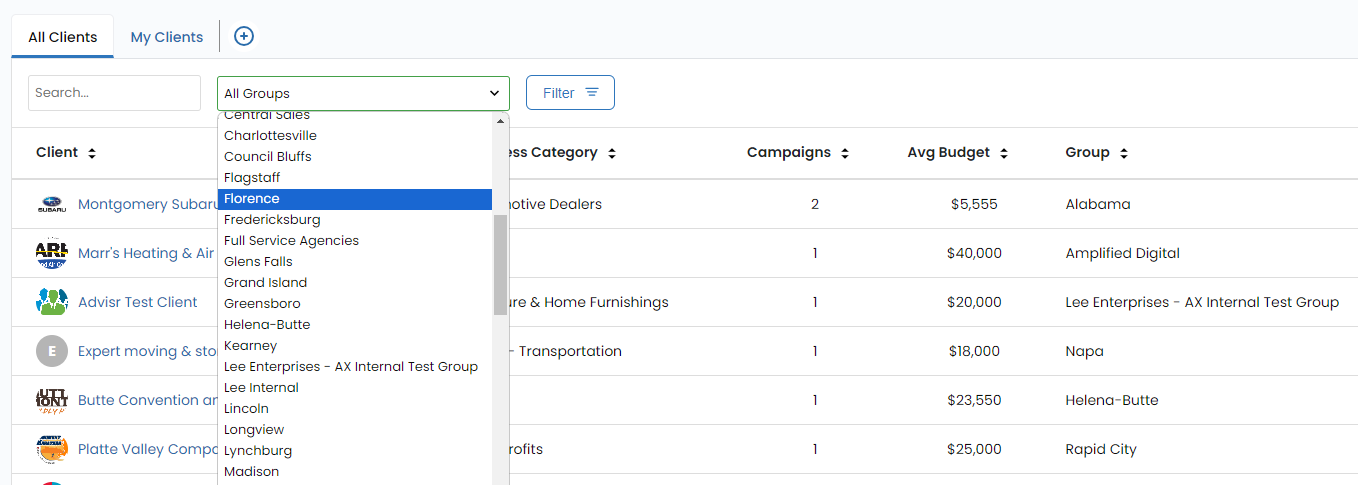
All Clients
Depending on your access level you may see the option to view All Clients. This type of categorization encompasses a comprehensive listing of all client records within a specific selling group within Vision VX. Selling groups are strategically organized to align with the Lee selling groups, adopting a regional structure. For instance, you might find groups like "Alabama," "Buffalo," or "Tulsa," mirroring the geographical focus or specific region of Lee sales.
My Clients
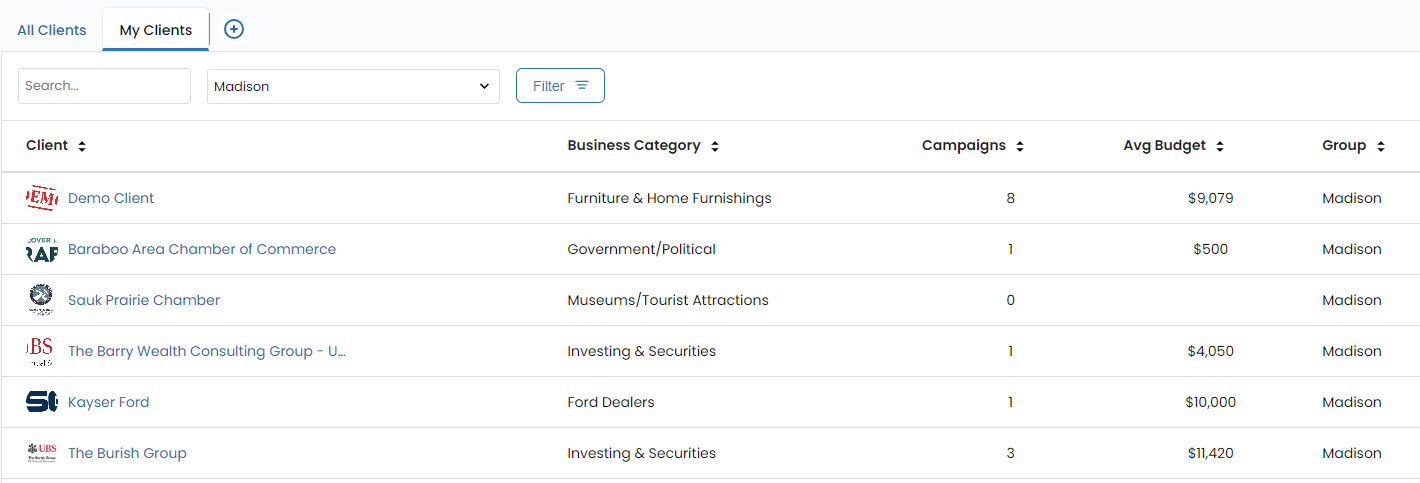
In contrast, "My Clients" constitutes a personalized collection of client records that are either created by or assigned to a particular sales user within a specific selling group. This delineation ensures that sales representatives have easy access to their assigned clients, streamlining client-specific interactions and management.
Crucial Client Information
Vision VX goes beyond mere categorization, providing a comprehensive profile for each client. Here's an overview of the essential information stored in the Client Details:
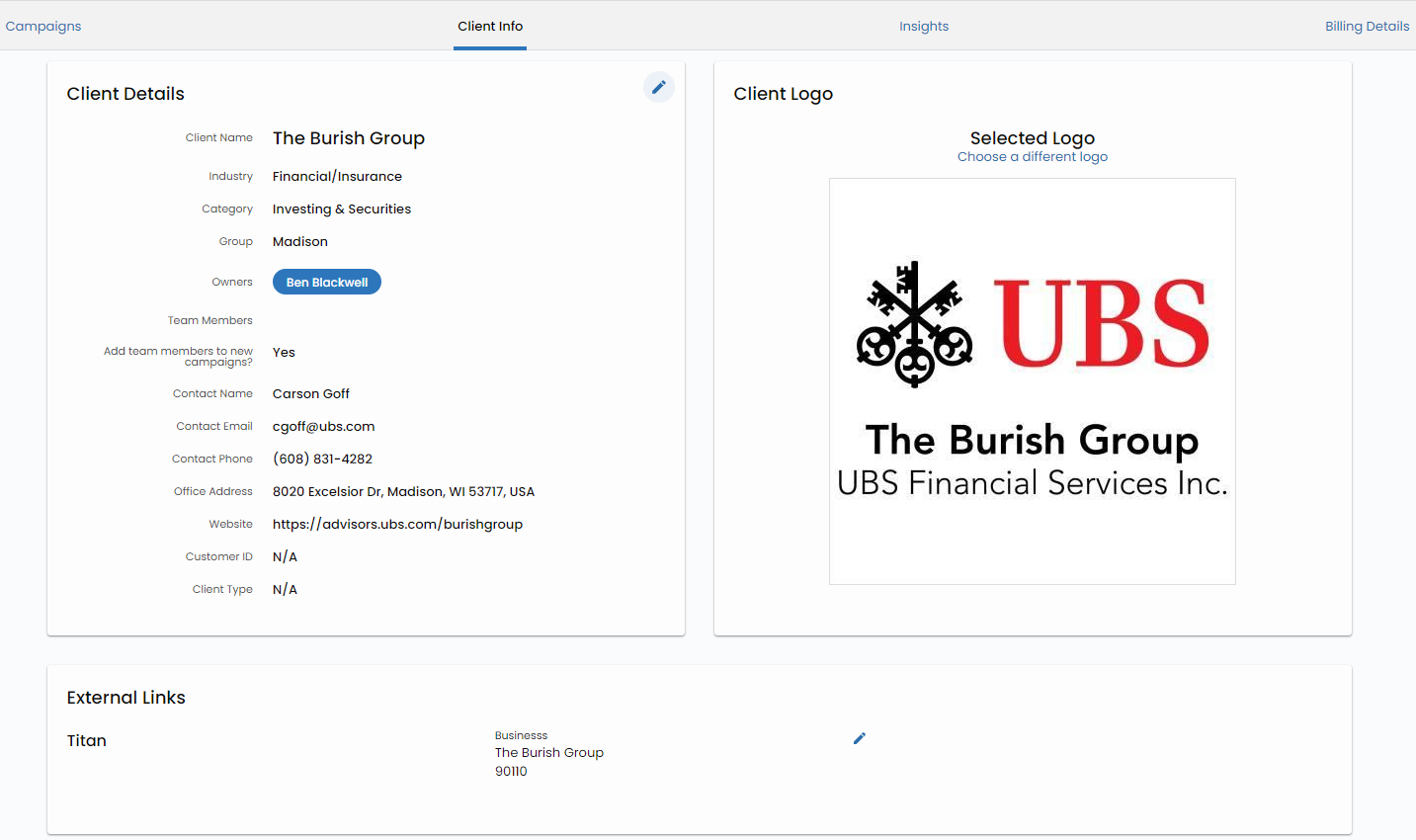
Client Name:
The name of the client, serving as the primary identifier.
Industry:
The industry or sector to which the client belongs, offering insights into their specific business focus.
Category:
A categorization that further refines the type of client and their specialization.
Group:
A grouping that helps organize clients within a larger framework, facilitating efficient management.
Owners:
Designating the individuals or teams responsible for managing the client relationship.
Contact Information:
Vital contact details, ensuring seamless communication.
Address:
The physical address of the client's primary location.
Website:
The client's online presence, enabling easy access for research and information gathering.
Client Logo:
The client's logo, which features prominently in the Vision VX interface and client presentations, offering brand visibility.
External Links:
For selling groups that utilize Eagle AdPoint, this section displays connections between Eagle AdPoint and Vision VX, streamlining integration. It may also include links to downstream software utilized by partners, referred to as Titan.
Business Locations:
A feature that allows the capture of all relevant physical locations associated with the client, supporting multi-location businesses and franchises.
Geo Profiles:
A critical aspect for advertising campaigns, Geo Profiles enable the targeting of specific geographic areas for precise campaign reach.
Insights: Insights facilitate the comparison of geo profiles with Census audience data, providing valuable marketing data related to audience opportunities in a given area.
External Links
Clients within VX may have references to External Systems used for Order Management or Fulfillment Management.
Titan
All campaigns sold that utlilize Amplified Digital products will have an External Link to the Titan System. The Titan system is used by Affinity X to manage digital fulfillment of sold campaigns. As a Lee sales rep, you will not need or have access to Titan. Information about your sold order will flow back into Vision VX automatically.
AdPoint
For Markets using Eagle AdPoint there will be a link to a specific Customer in AdPoint once you build your first Opportunity in Eagle that links to Vision VX. This is useful for building your pipeline in Eagle and connecting with Sales Enablement for support.
This structured approach to client management in Vision VX ensures that every piece of client information is systematically organized and readily accessible. The platform empowers sales teams to engage effectively with clients, tailor campaigns to specific geographic areas, and make data-driven decisions based on valuable insights. This holistic approach to client management embodies Vision VX's commitment to excellence and efficiency in the realm of advertising.