Play Training
Campaign Details
Introduction 6 of 9
Unlocking Precision in Campaign Communication
The Campaign Details screen within Vision VX emerges as a robust and indispensable tool, serving as a vital bridge to communicate the intricacies of your media campaign and proposal. This multifaceted screen plays a dual role, acting both as a means to articulate the specifics of your proposal to clients and as a central record repository when submitting a sold order.
 Related How To Guides:
The significance of the Campaign Details screen lies in its ability to seamlessly connect sales, clients, and sales enablement teams, ensuring a harmonious transition from proposal to the execution of a sold campaign.
Let's Explore the Key Purposes of the Campaign Details Screen:
Client Communication
The screen becomes a dynamic communication hub, conveying the specifics of your proposal to clients. This ensures transparency and clarity, minimizing the risk of misunderstandings and enhancing client satisfaction.
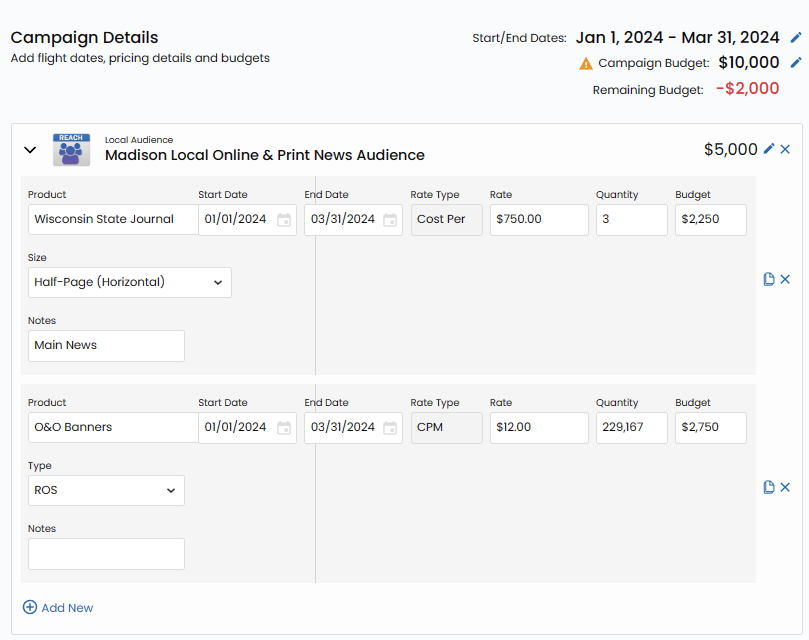
Central Record Keeping
As the central repository for campaign elements, the screen acts as the linchpin connecting different teams involved in the campaign process. From sales to clients and the sales enablement teams responsible for booking sold campaigns, the Campaign Details screen ensures seamless communication and collaboration.
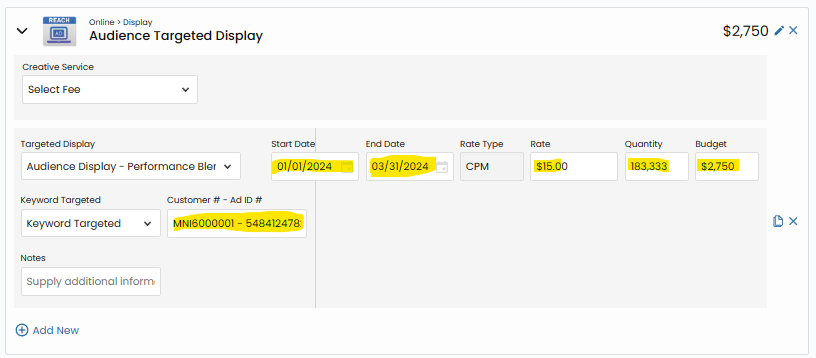
Now, Let's Explore the Functionality and Purpose:
Product Level Detail
Each product within the proposal finds its place in the Campaign Details screen, akin to an insertion order for advertising. Product details encompass crucial information such as run dates, rates, and costs. This level of detail not only facilitates precision in execution but also provides a comprehensive view of the campaign.

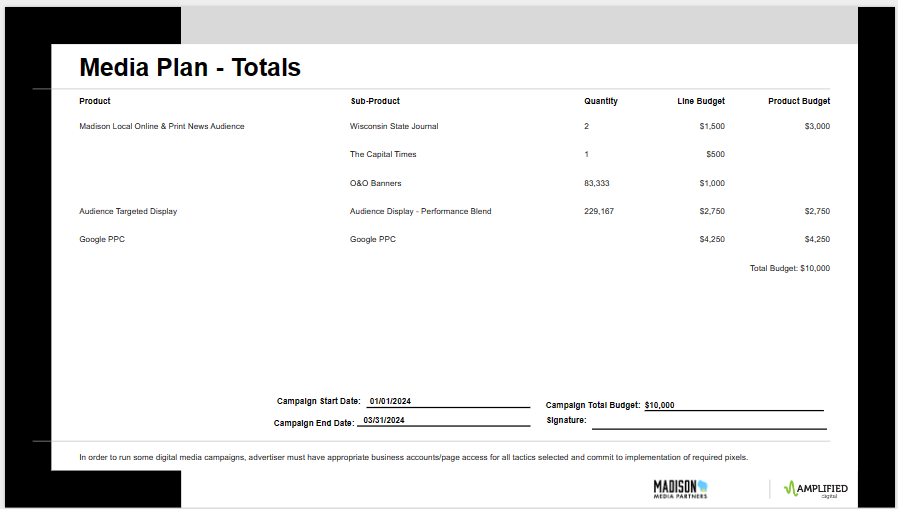
Visibility to Clients
Completed product details on this screen can optionally be visible to clients on their presentation slides containing full details. This transparency aids in ensuring that clients comprehend the total investment of the program, fostering a deeper understanding of the line item details.
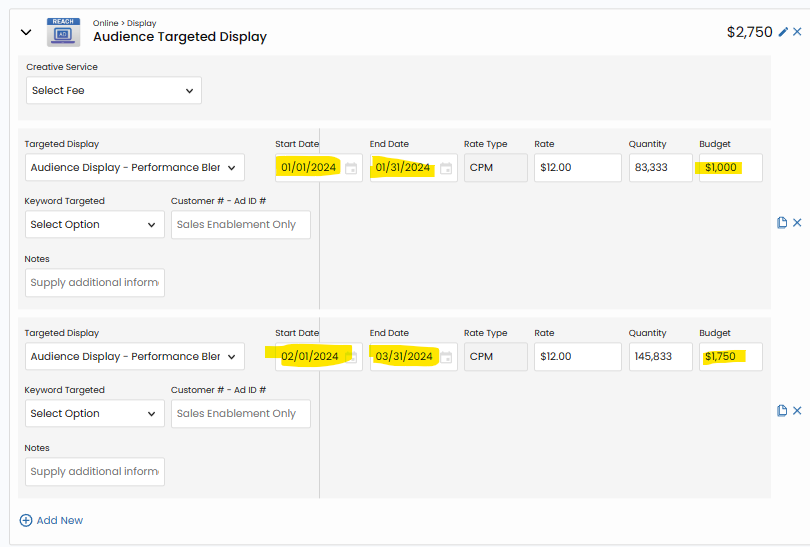
Product Flighting
The Campaign Details screen introduces the concept of product flighting, allowing for specific budget allocations within defined start and end dates. This feature proves invaluable when there is a need to set precise budgets for individual products throughout the campaign timeline.
Budget Allocation:
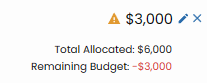
Ensuring meticulous budget allocation is a core function of the screen. It aids in verifying that the entire campaign budget is assigned to products and prompts users if there is any budget misallocation. This meticulous oversight guarantees that no investment remains unassigned.
Flexibility and Control:
The Campaign Details screen empowers users with flexibility and control over various aspects of the campaign. However, with this power comes the responsibility to complete the screen in detail.
Imperative for Sold Orders
It is imperative to finalize this screen before submitting the sold order to billing, ensuring a seamless transition from proposal to execution.

In conclusion, the Campaign Details screen is not merely a functional aspect of Vision VX but a linchpin in the campaign creation process. It encapsulates precision, transparency, and collaboration, ensuring that campaigns are not only conceptualized with clarity but also executed with flawless precision.
Elevate your campaign management experience by harnessing the full potential of the Campaign Details screen within Vision VX.