Play Training
Creative Performance
Introduction 3 of 6
Understanding the Creative Performance Area in TapClicks
The Creative Performance Area within TapClicks is a valuable tool that allows advertisers to delve into the performance of individual creative elements within a campaign. This area provides insights into the delivery (impressions), engagement (clicks), and response rates (CTR) for each creative asset over a specified time period.
 Related How To Guides:
Let's explore the features and metrics in the Creative Performance Area to understand how it contributes to optimizing creative strategies.
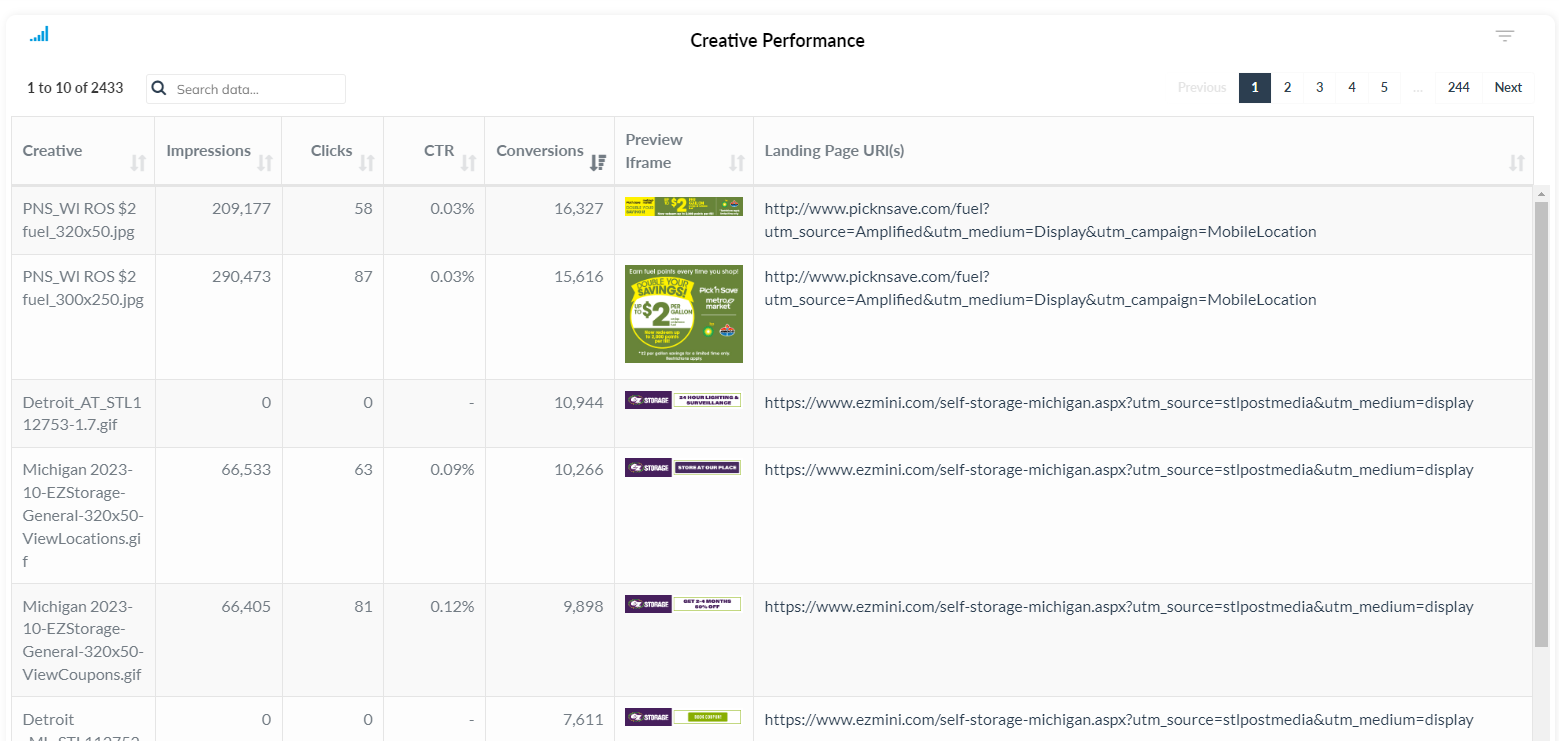
Performance Metrics
The Creative Performance Area showcases key metrics for each individual creative element:
-
Clicks: Represents the number of clicks directly on a specific ad. This metric highlights the engagement level of each creative asset.
-
CTR (Click-Through Rate): Indicates the percentage of clicks in relation to the total impressions for a particular creative. CTR is a crucial metric for assessing the effectiveness of an ad in encouraging user interaction.
-
Conversions: Reflects the total number of conversions attributed to a specific creative element. Conversions can include various actions such as form submissions, sign-ups, or purchases, depending on the campaign goals.
Preview Feature
One distinctive feature of the Creative Performance Area is the preview option. This feature allows advertisers to preview each ad message along with the destination landing page. Having a visual preview ensures that the correct ads are running and linking to the intended destinations. It provides a practical way to verify that the creative elements align with the campaign objectives and user experience.

Understanding the performance of individual creatives is crucial for optimizing ad campaigns. Advertisers can identify high-performing creatives, analyze user engagement, and make data-driven decisions to enhance overall campaign effectiveness.
In summary, the Creative Performance Area in TapClicks empowers advertisers to assess the impact of each creative element within a campaign. By analyzing clicks, CTR, and conversions on a granular level, advertisers can refine their creative strategies, leading to more impactful and successful advertising campaigns.