Play Training
Use the Slide Library
Number of Guide Steps: 4
In Vision VX, the Slide Library stands as a robust repository, a treasure trove of valuable information meticulously curated for enhancing presentations within the VX ecosystem.
This inclusive library encompasses a diverse array of assets, ranging from product slides and case studies to creative examples and personalized custom slides, providing users with a wealth of resources to elevate the impact of their presentations.

- 1. Accessing the Slide Library
- 2. Search Using the Keyword Box
- 3. Select and Add Slides
- 4. Save Your Custom Slides to Library
Accessing the Slide Library.
-
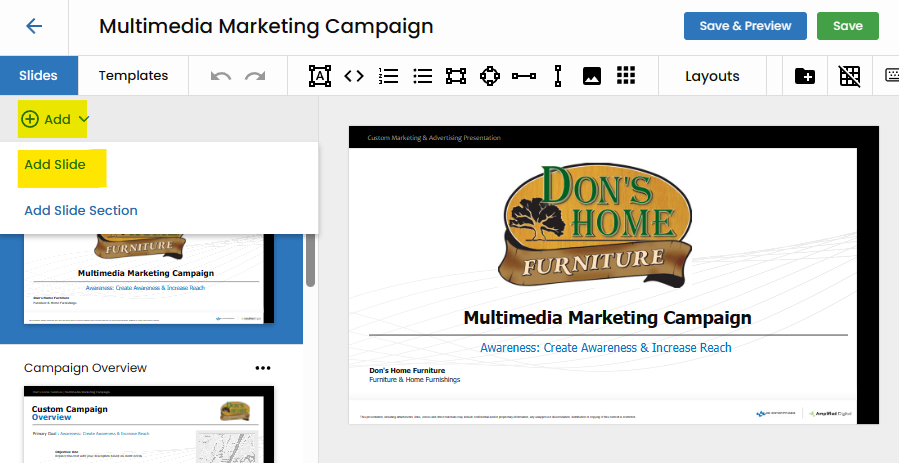
Click the Add Button:
- To embark on your exploration of the Slide Library, initiate the process by clicking the "Add" button within the VX interface. This action serves as the portal to a wealth of presentation assets stored in the library.
-
Choose "Add Slide":
- Within the options presented, choose "Add Slide." This selection propels you into the Slide Library interface, unlocking a diverse collection of slides that can seamlessly integrate into your presentations.
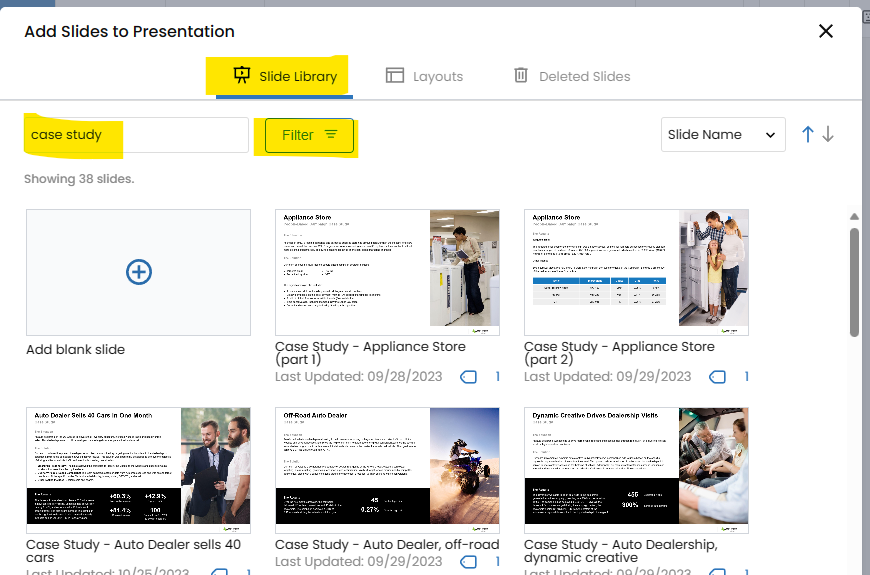
Search Using the Keyword Box.
Navigate through the Slide Library with ease by utilizing the keyword box. Input relevant keywords to refine your search and swiftly locate slides that align with the thematic elements or information you seek for your presentation.
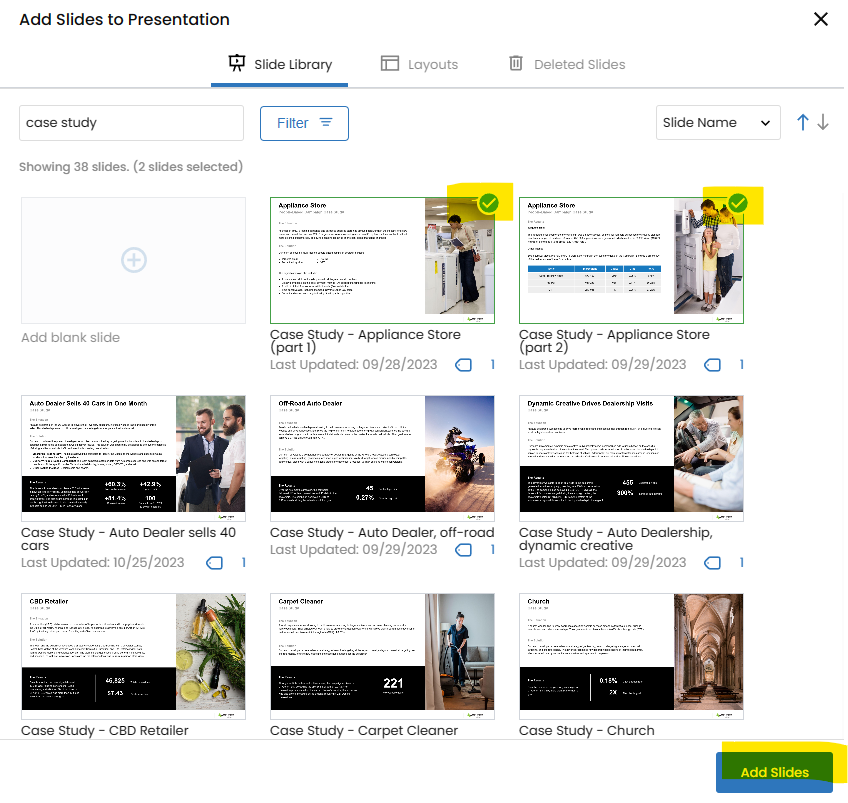
Select and Add Slides.
Once you've identified the slides you wish to incorporate, select them and click the "Add Slides" button. This straightforward process ensures that your chosen slides seamlessly become a part of your presentation canvas.
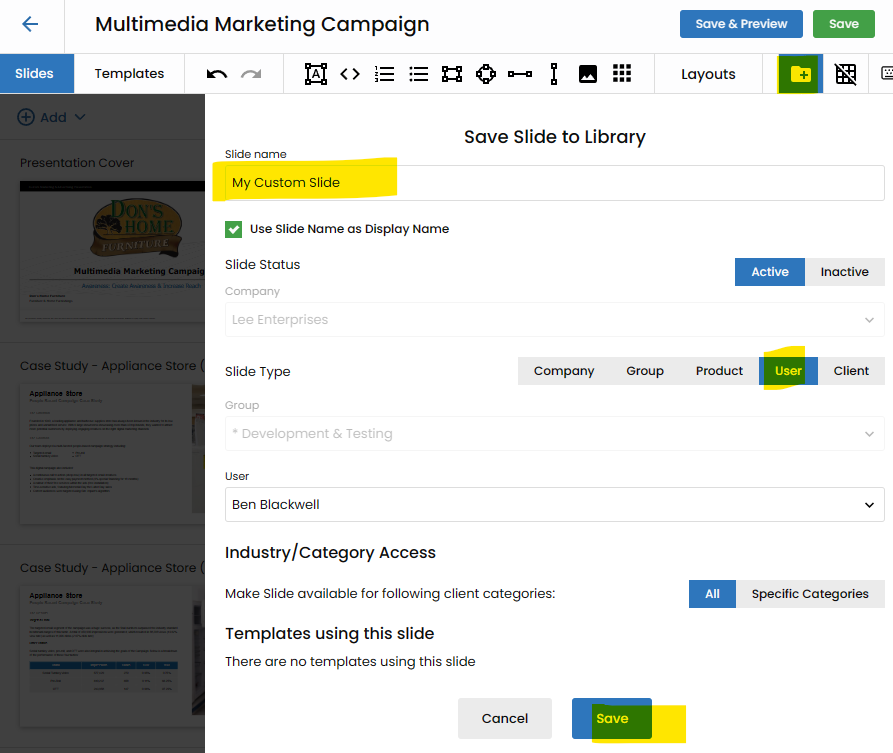
Save Your Custom Slides to Library.
Beyond the wealth of pre-existing resources, users can contribute to the repository by saving their own custom slides. With the "Save to Library" button, your personalized creations can be preserved and shared within the Slide Library for future use or collaborative endeavors.