Play Training
How to use the Instant PPC Estimator
Number of Guide Steps: 7
The Instant PPC Estimator is a valuable tool for quickly gauging the potential impact of a budget on clicks, impressions, and response rates in a PPC campaign.
While it doesn't replace the Avails Request, it serves as an additional tool for scenarios where instant product feedback is needed.
Here's a comprehensive guide on how to use the Instant PPC Estimator:
.jpg)
- 1. Access the Campaign Support Area
- 2. Click the Instant PPC Estimator
- 3. Choose Industry, Geo Size, and Monthly Budget
- 4. Click "View Instant Estimate"
- 5. Review Your Instant Estimate
- 6. Review the Estimate Range Chart
- 7. Download as PDF
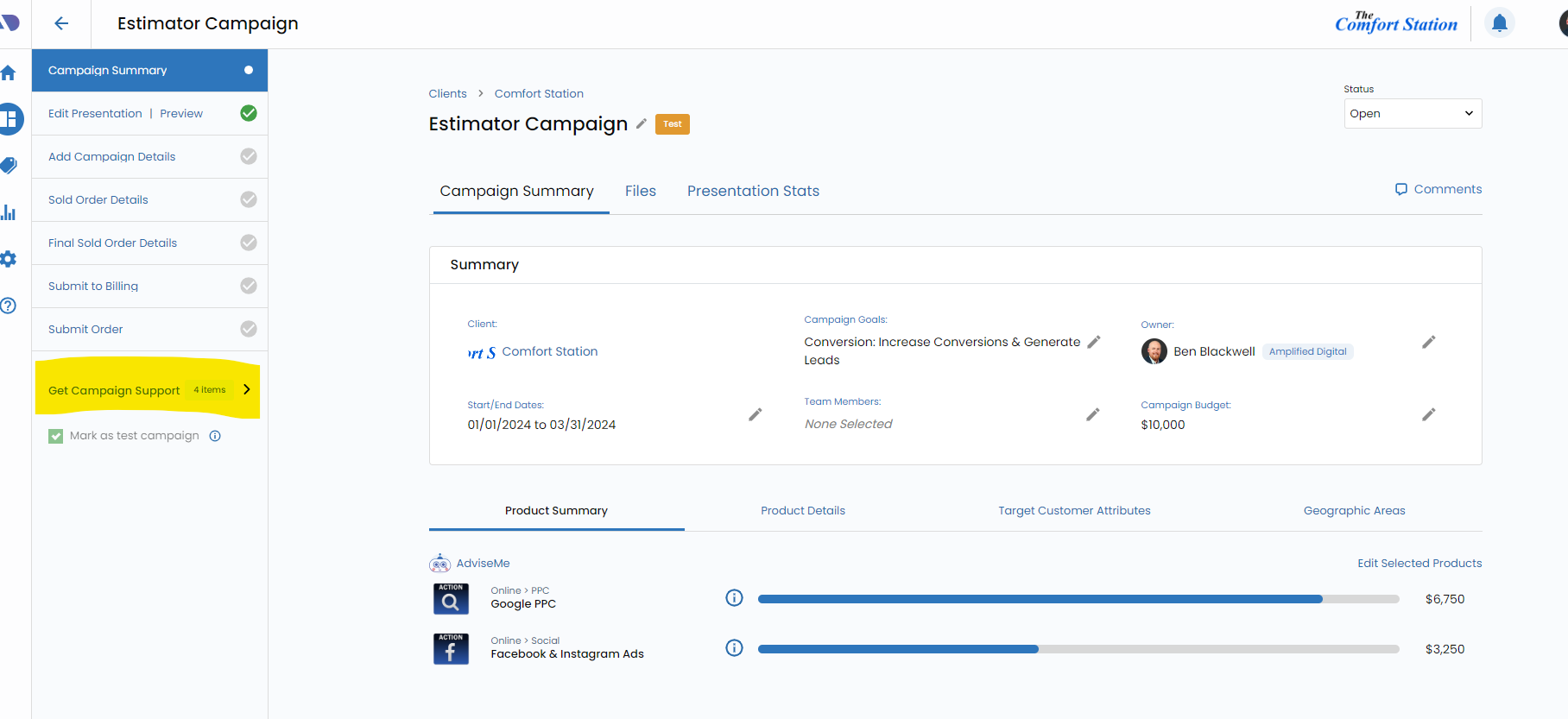
Access the Campaign Support Area.
Open the Campaign Support Widget in the Vision VX platform. This widget is a hub for various tools and features to support your campaign management activities.
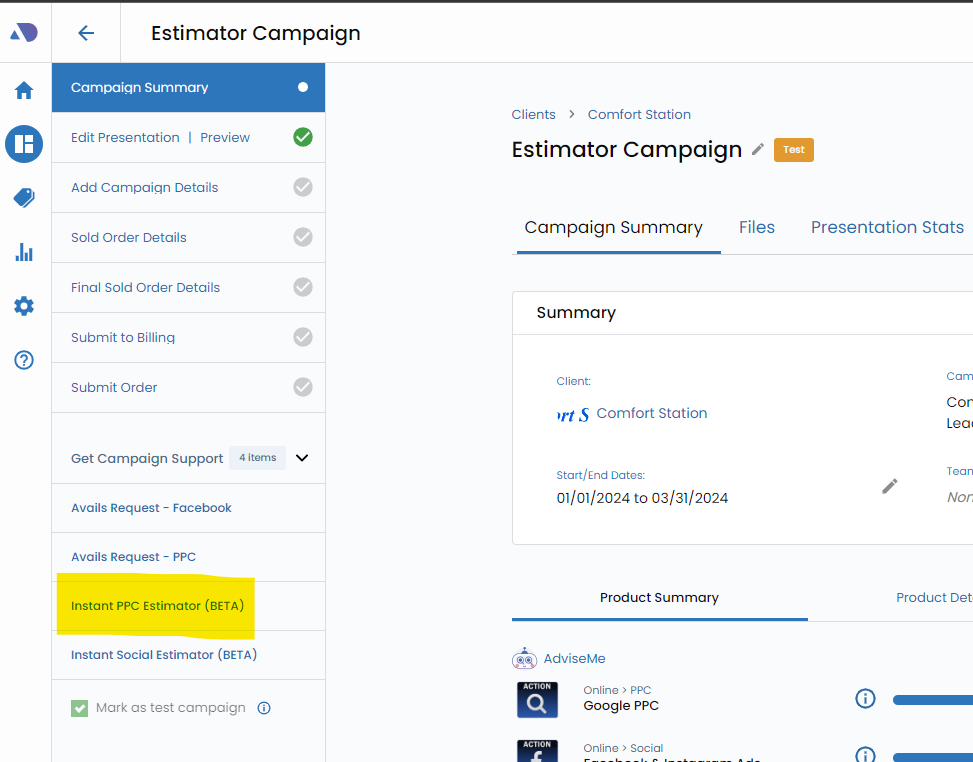
Click the Instant PPC Estimator.
Within the Campaign Support Widget, locate and click on the "Instant PPC Estimator" option. This will launch the tool and allow you to input parameters for the estimation.
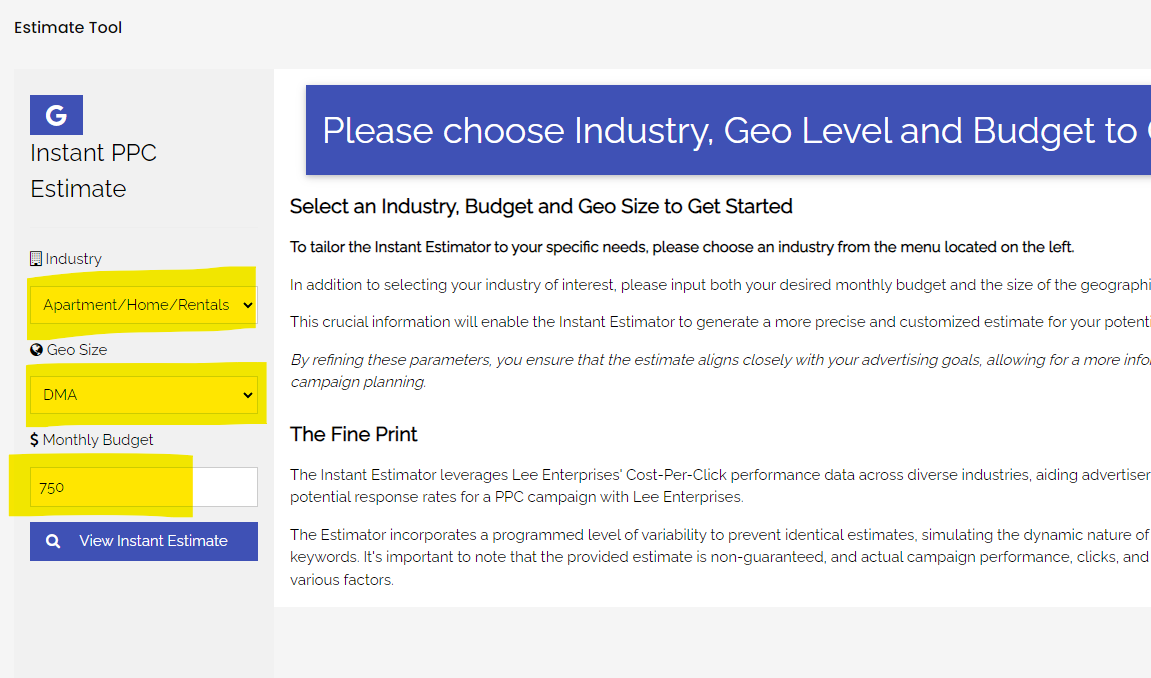
Choose Industry, Geo Size, and Monthly Budget.
Input the relevant details to tailor the estimation to the specific campaign. Choose the industry related to the campaign, specify the geographic size, and enter the monthly budget you want to estimate.
Click "View Instant Estimate".
After entering the necessary details, click the "View Instant Estimate" button. This action will trigger the estimation process based on the provided parameters.

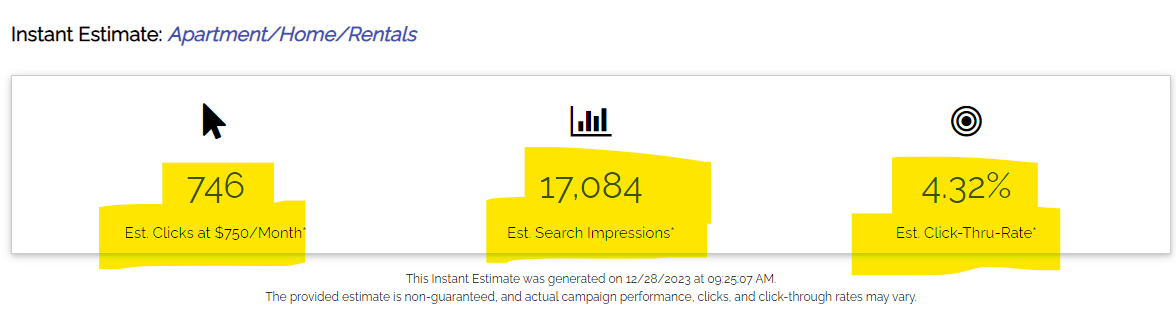
Review Your Instant Estimate.
The tool will generate an estimate that predicts the number of clicks, impressions, and click-through rate (CTR) based on the entered information.
Review these estimates to understand the potential impact of the budget.
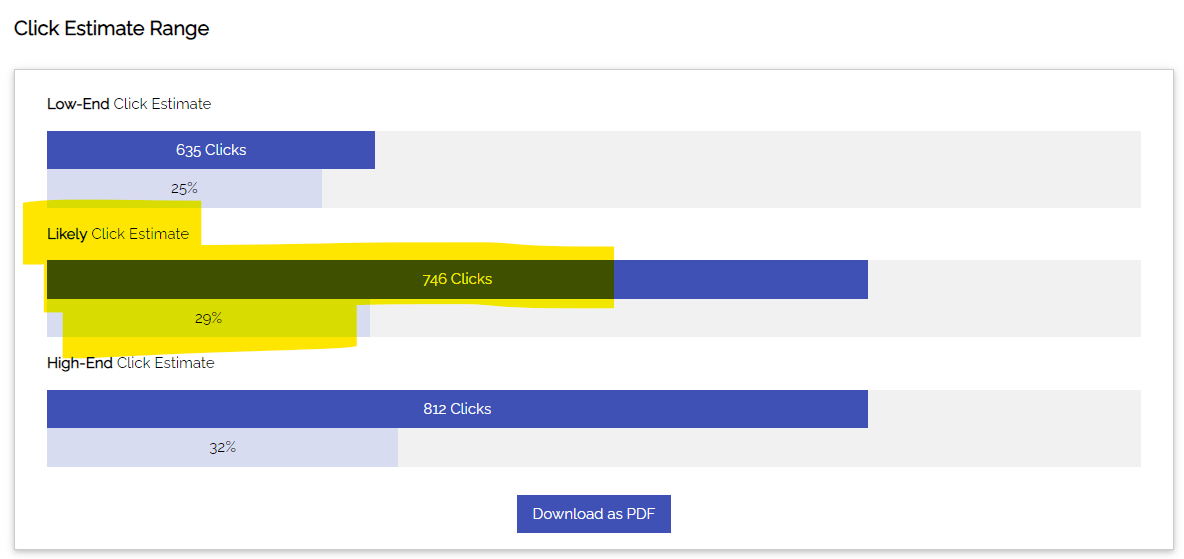
Review the Estimate Range Chart.
The estimate range chart provides additional insights, indicating low, likely, and high-end estimates. It also displays the opportunity percentage estimated for each metric.
Use this chart to assess the range of possibilities.
Download as PDF.
If needed, you can download the instant estimate as a PDF for documentation or further analysis. This feature allows you to share the estimate with relevant stakeholders.
By following these steps, you can effectively utilize the Instant PPC Estimator to quickly assess the potential outcomes of a PPC campaign based on different budget scenarios. This tool enhances your ability to provide instant feedback to advertisers and make informed decisions during the campaign planning phase.