Play Training
How to Order Lightning Video
Number of Guide Steps: 5
This tutorial will show you to how to Order or Request a Lightning Video

Steps in the Guide:
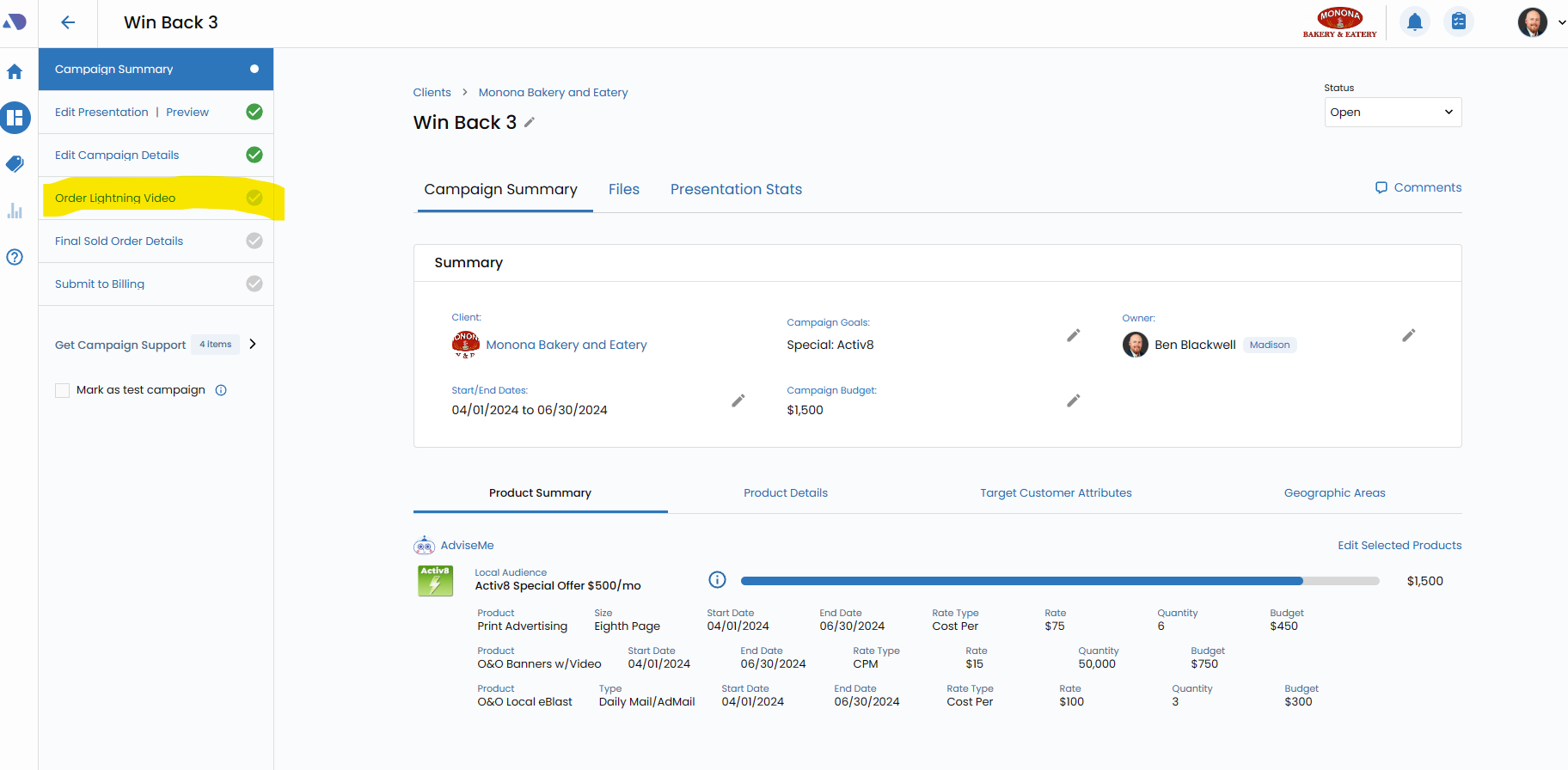
- 1. Click the Order Lightning Video from the Campaign Workflow Area
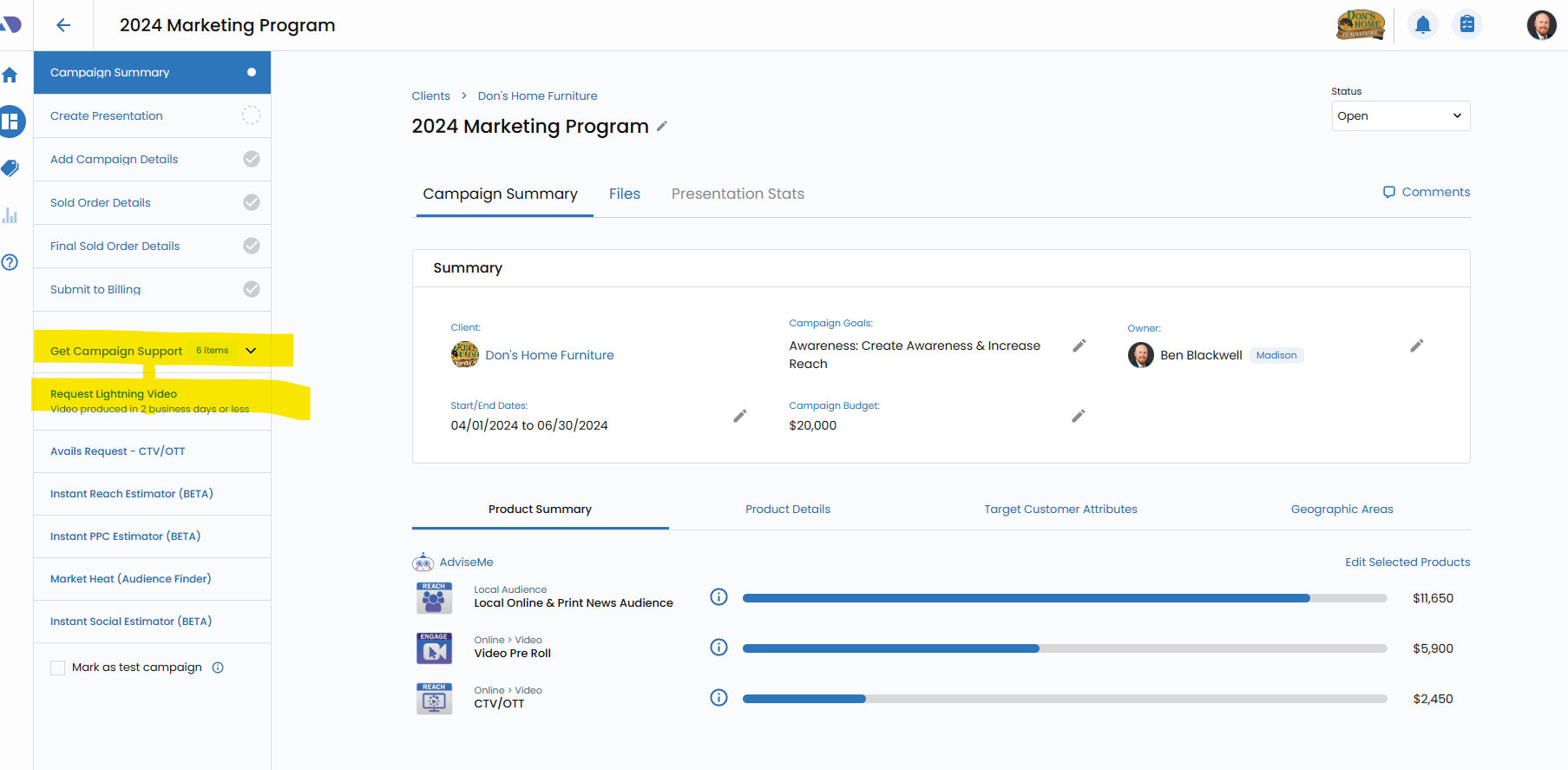
- 2. Click Request Lightning Video from Get Campaign Support
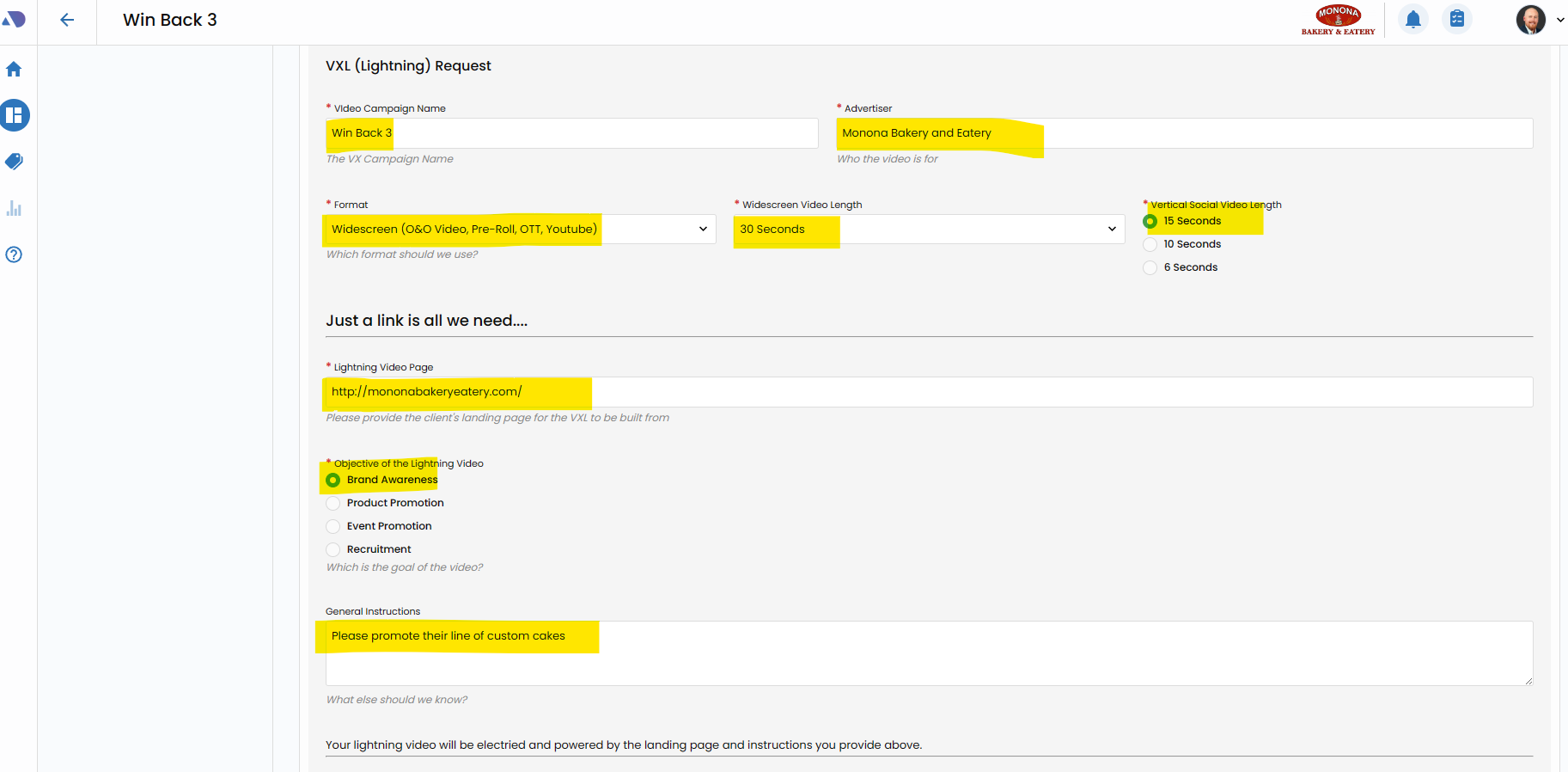
- 3. Complete the Lightning Order Form
- 4. Click Save
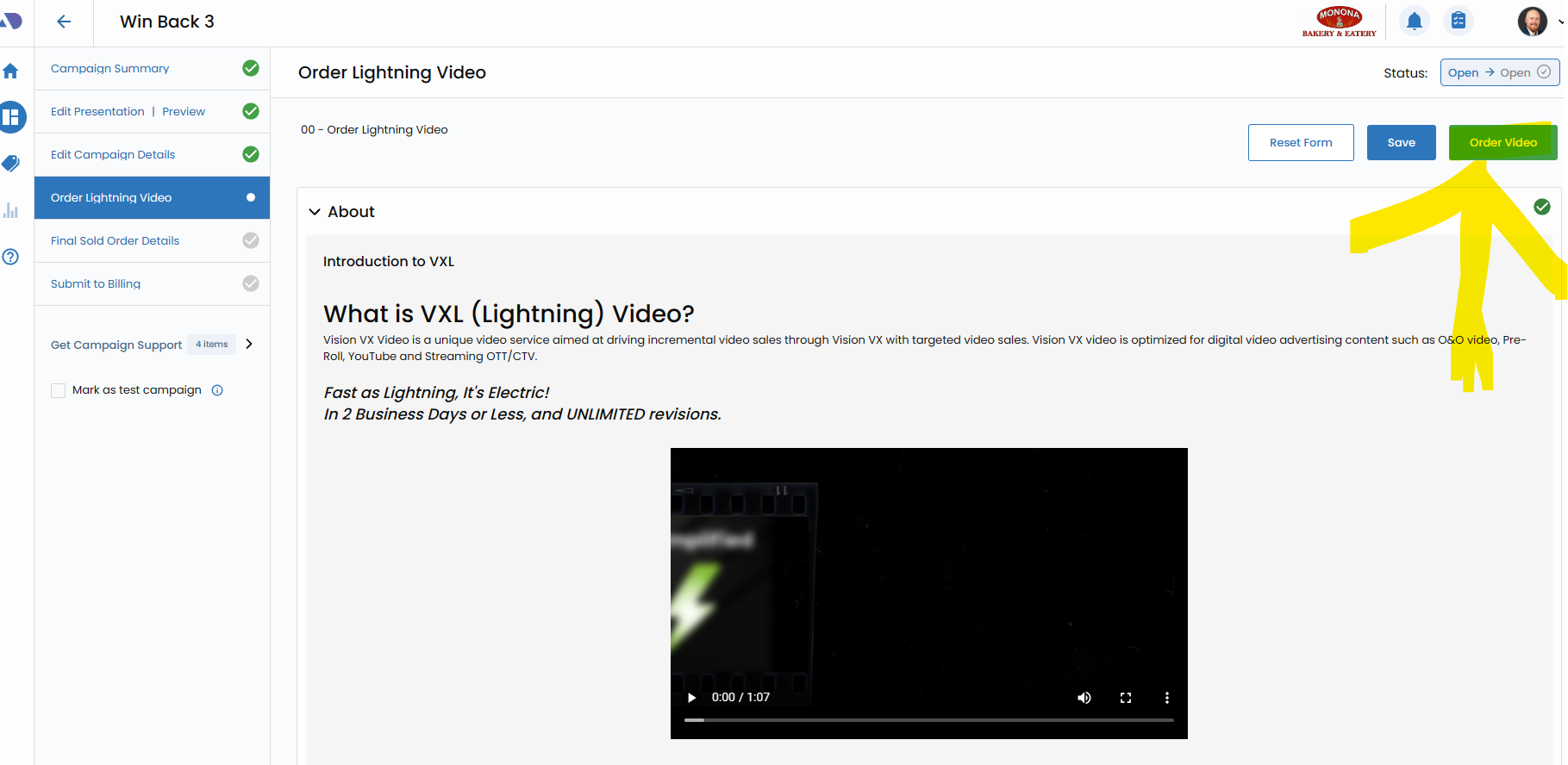
- 5. Click Order Video to Submit your Request
Step 1
Click the Order Lightning Video from the Campaign Workflow Area.
Click the Order Lightning Video from the left hand Campaign Workflow area of your Activ8 Campaign. Alternatively, if you're not selling an Activ8 campaign, please refer to step #2.
Step 2
Click Request Lightning Video from Get Campaign Support.
If you're not selling an Activ8 campaign, you can access the Lightning Request from from the Get Campaign Support area of your campaign.
Step 3
Complete the Lightning Order Form.
Complete all the required fields of the Lightning Order form. Give the Lightning Producer as much information as you'd like to supply to enhance the output of your Lightning Video.
Step 4
Click Save.
Click Save at the top of the Form.

Step 5
Click Order Video to Submit your Request.
Click Order Video as the final step in your Lightning Order form.
Continue Training
Proceed to the next guide, How to use the Instant Social Estimator.
Next Guide: How to use the Instant Social EstimatorThis website, including attachments, links, videos and other materials may include confidential and/or proprietary information, and may be used only by Lee Enterprises employees. If the user of this website is not a Lee Enterprises employee or his or her authorized agent, the user is hereby notified that any dissemination, distribution or copying of this website is strictly prohibited. If you have received this website in error, please delete your browser cookies and close this website.
Read this Page