Play Training
View Client Insights
Number of Guide Steps: 7
Unlocking valuable client audience insights is a pivotal aspect of optimizing marketing strategies. Follow these steps to seamlessly access and explore client audience insights

- 1. Navigate to the Client Screen
- 2. Access the Insights Tab
- 3. Choose a Geo Profile
- 4. Or, Add a Geo Type
- 5. Initiate Insight Exploration
- 6. Navigate Through Demographic Insights
- 7. Adjust Geo Profiles for Dynamic Insights
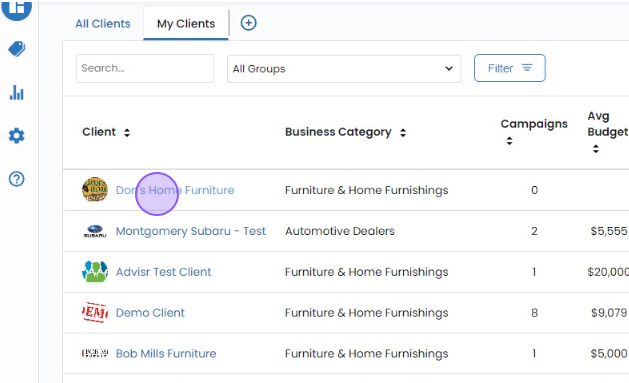
Navigate to the Client Screen.
Begin by opening your client screen, the central hub for managing and analyzing client-related data
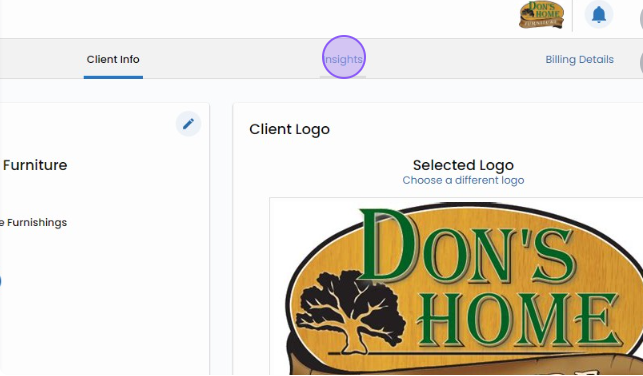
Access the Insights Tab.
At the top of the client screen, locate and select the 'Insights' tab. This is your gateway to a wealth of information about your client's audience.
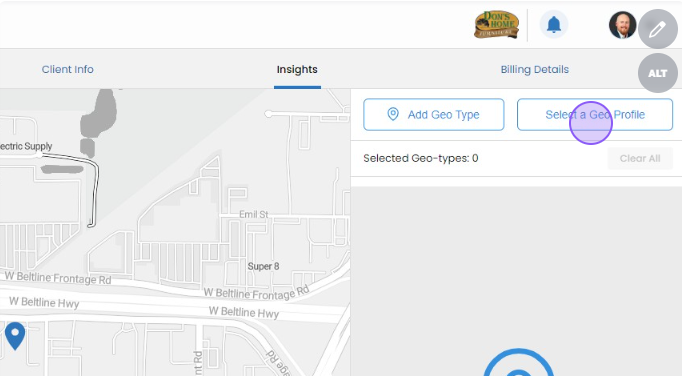
Choose a Geo Profile.
To initiate the exploration of insights, select a Geo Profile that you have previously configured. Click on the 'Select a Geo Profile' button, and choose from the list of geo profiles tailored to your client.
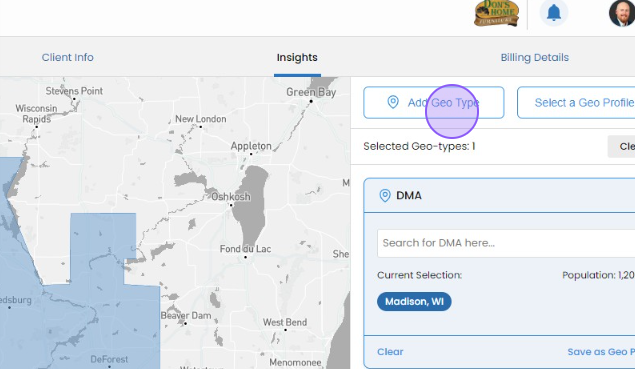
Or, Add a Geo Type.
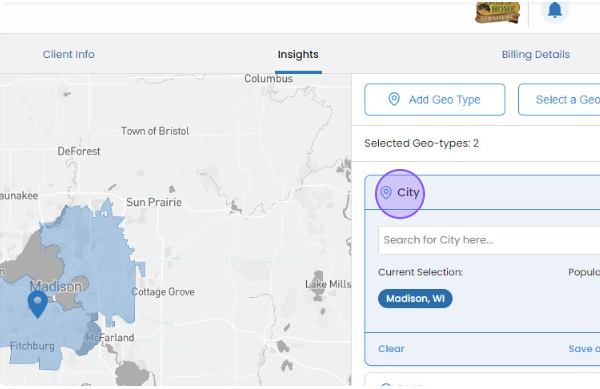
Alternatively, on the client insights screen, you can dynamically add a Geo Type by clicking the 'Add Geo Type' button. This flexibility allows you to customize your insights on the go.
Initiate Insight Exploration.
Once you've selected a Geo Profile, click on the 'Demographics' dropdown on the left-hand side of the screen. This action unveils a plethora of demographic insights that can provide valuable information about your client's audience.
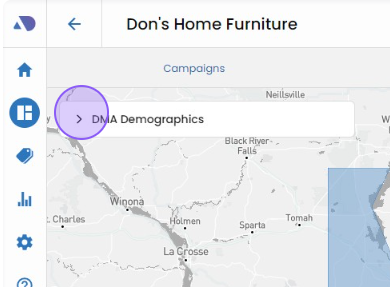
Navigate Through Demographic Insights.
Explore the various demographic insights available by clicking through the options presented. These insights may include age groups, gender distribution, income levels, and more, offering a comprehensive view of the client's target audience.
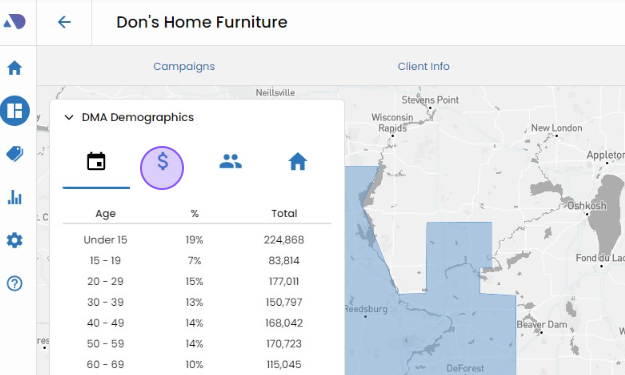
Adjust Geo Profiles for Dynamic Insights.
Enhance your insights by adding or subtracting Geo Profiles. This dynamic feature allows you to observe real-time updates in the insights based on the geographical configurations you choose.
By following these steps, you not only gain access to client audience insights but also empower yourself to tailor your marketing strategies based on a nuanced understanding of your client's audience demographics.
Congratulations, you've reached the end of this playbook.
Be sure to review all the courses and guides in this playbook to ennsure that you've reviewed all the material.A check mark next to each item will inform you if have reviewed or not.