Play Training
Set Mobile Geofencing
Number of Guide Steps: 4
Navigating the realm of mobile location targeting and footfall attribution in Vision VX is made seamless through the intuitive Locations and Radius feature.
This feature enables advertisers to precisely define target locations and implement radius-based targeting, using either business or residential addresses. Here's a comprehensive guide on how to leverage this functionality:

- 1. Access the Locations and Radius Tab
- 2. Configure Target Locations
- 3. Edit Location Names
- 4. Add Radius to Each Location
Access the Locations and Radius Tab.
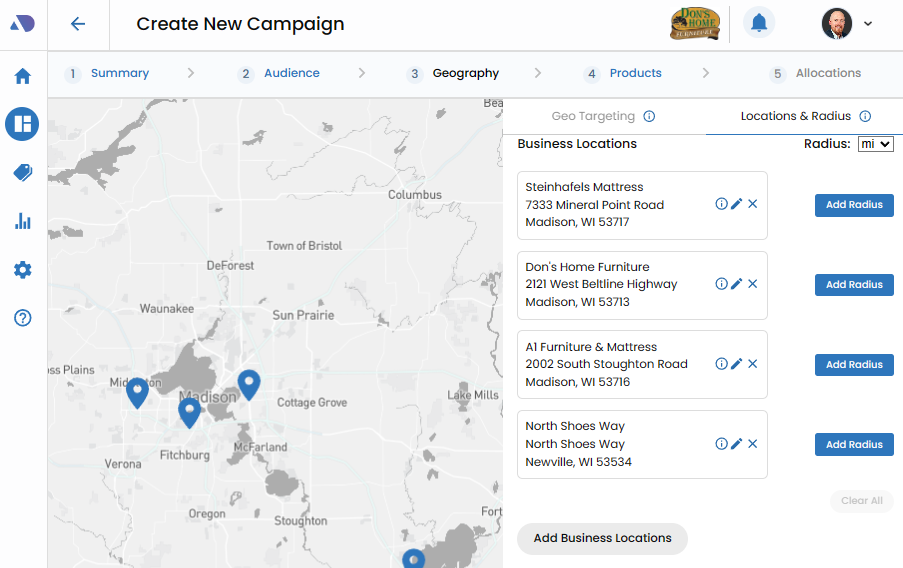
Begin by navigating to the Locations and Radius tab within Vision VX. This dedicated tab serves as the command center for configuring target locations and defining the corresponding radii.
Configure Target Locations.
On the Locations and Radius tab, take advantage of the user-friendly interface to configure the desired target locations.
Click the "Add Business Locations" option to seamlessly input business or residential addresses.
Importantly, this flexible feature accommodates not only businesses but also residential addresses or any other specific location deemed relevant to the campaign.
Edit Location Names.
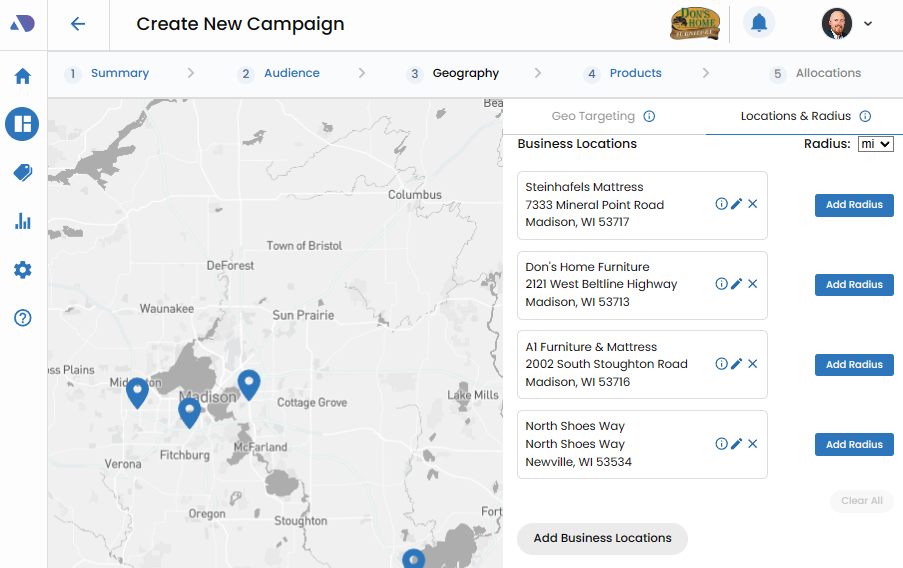
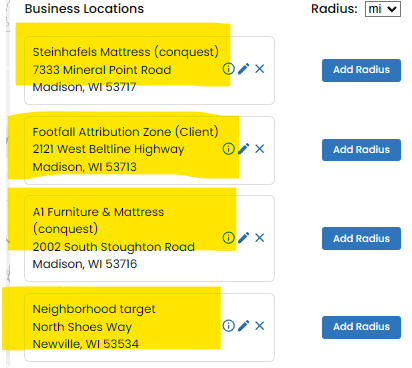
Once the target locations have been added, enhance clarity and organization by editing the names associated with each location. Click on the pen tool to adjust the names, ensuring that they succinctly convey the purpose or goal of each location.
This step is pivotal for easy identification and management within the platform.
Add Radius to Each Location.
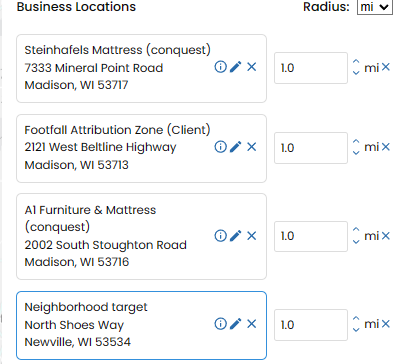
With the locations configured, the next step is to define the radius for each. Specify the radius for targeting by adding the appropriate distance for each location. This radius-based targeting allows advertisers to tailor their campaigns to specific geographic zones, optimizing the precision of mobile location targeting and footfall attribution.
This robust functionality not only ensures precision in reaching the intended audience but also provides a comprehensive toolset for managing and optimizing campaign strategies.