Play Training
Copy (Duplicate) A Campaign
Number of Guide Steps: 4
In the realm of Vision VX, the capability to duplicate or copy campaigns emerges as a game-changing feature, providing users with a powerful tool to accelerate the campaign creation process, streamline presentations, and efficiently replicate successful campaign structures. Whether aiming to showcase varying tiers of packages or swiftly recreate campaigns for multiple clients, the duplication feature serves as a valuable shortcut for tasks that exhibit high repeatability.

- 1. Locate the Campaign in Your Workspace
- 2. Access the Action Menu, Click Copy
- 3. Add Clients for Duplication
- 4. Confirm the Duplication
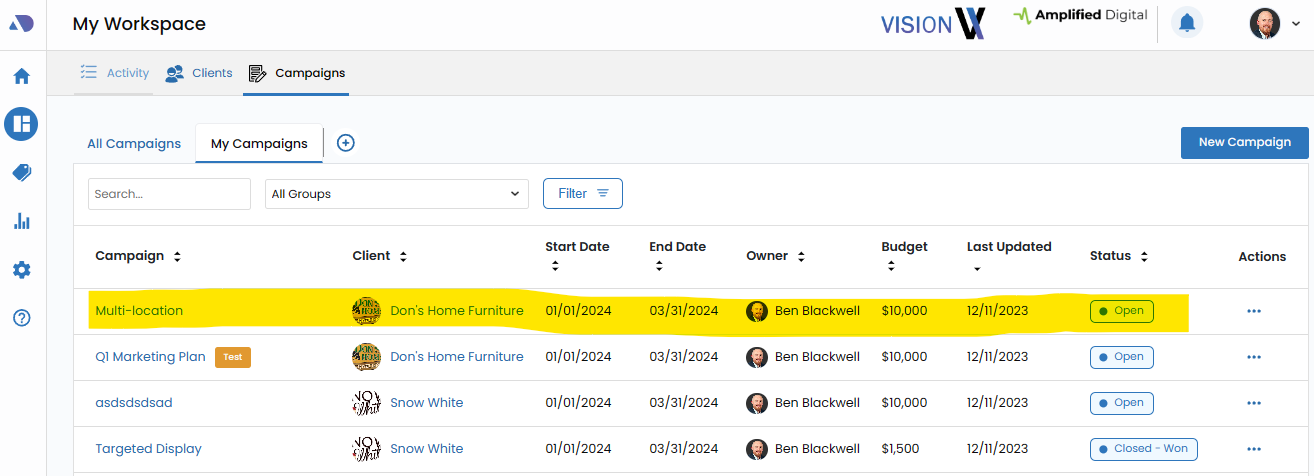
Locate the Campaign in Your Workspace.
Begin the duplication process by locating the specific campaign within your Workspace. This centralized hub offers a comprehensive overview of all campaigns, allowing for easy identification.
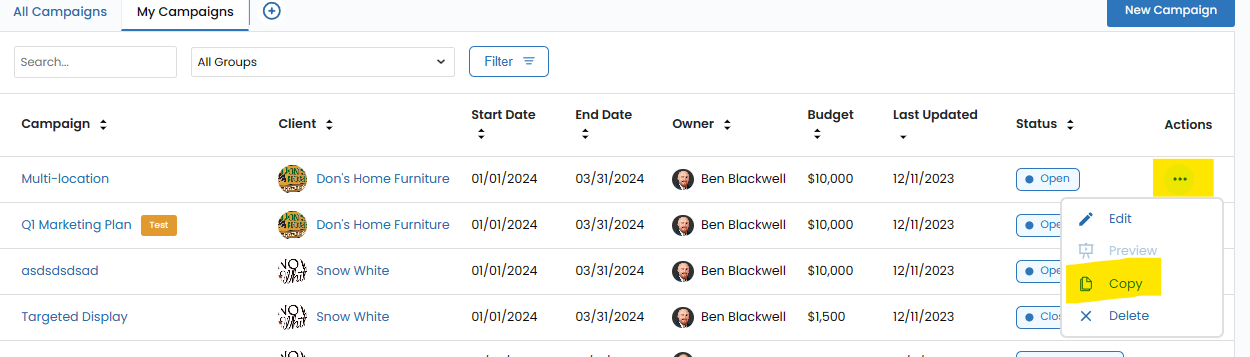
Access the Action Menu, Click Copy.
Once the campaign is identified, click on the action menu represented by three dots. This menu acts as the gateway to a range of options, including the ability to duplicate the campaign.
Now click Copy.
Add Clients for Duplication.
Customize the duplication process by adding specific clients to the list for which the campaign will be copied. This strategic feature enables the creation of identical package campaigns for multiple clients simultaneously, significantly expediting the campaign creation timeline
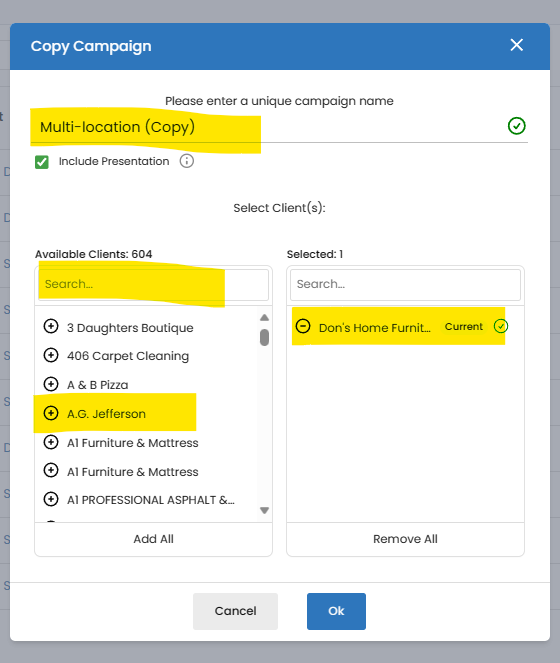
Confirm the Duplication.
After specifying the clients, confirm the duplication process by clicking "Ok." This action signals the system to replicate the campaign, generating multiple copies tailored to the selected clients.
With a simple click of the button, the duplication process unfolds, resulting in the creation of multiple copies of the campaign. Each copy retains the structure, details, and configurations of the original, allowing users to efficiently manage, present, or tweak variations of the same campaign.


Congratulations, you've reached the end of this playbook.
Be sure to review all the courses and guides in this playbook to ennsure that you've reviewed all the material.A check mark next to each item will inform you if have reviewed or not.